
Don't just pull the plug: The Art of Graceful Shutdown in Node.js

List of interesting resources that I found this week:
TLDR:
A graceful shutdown is an important part of any production-facing Node.js application. It ensures that users don't lose data and that services remain intact during the shutdown process. This includes listening for system signals, stopping new connections while allowing existing requests to finish, and cleanly releasing all resources before the process exits.
Pss, I prepared some challenges for you to practice this topic. If you have what it takes, follow the link and try your best.
What is a graceful shutdown
Imagine that you have an offline store. Like every offline store, you have to close it at the end of the day.
Just at the closing time, you still have some clients left at the store. What would you do?
There are two ways: an abrupt way and a graceful way.
Abrupt approach:
Kick all clients immediately out of the store.
Leave the store yourself.
It's fast and easy, but creates many problems.

Graceful approach:
Turn the shop sign "Open" to "Closed".
Serve all clients who are at the store and make sure they’re happy.
Close the register.
Close the store entrance properly.
Set the security on.
Clients are satisfied, the register is properly closed, the store is properly closed, and security is on.

That's exactly how graceful shutdown works on software applications. You serve all existing clients, make sure they're happy, and properly exit your applications.
The High Cost of an Abrupt Exit
Here is how abrupt exists translates from analogy to Node.js applications:
Degraded User Experience and Disrupted In-Flight Operations
Risk of Database Corruption
State Corruption in Distributed Systems
Incomplete and Inaccurate Logs
Instability in Containerized Environments (Kubernetes)
Losing the trust of your users and having a bad business image
The picture is clear: a graceful shutdown makes your users happier by giving them a chance to finish their actions. Let your system finish any ongoing work that, if left as is, would result in inconsistent states. Makes your business have a firmer stance and better overall image.
Don't believe me? Check out this article by Dashline where they saw 5x load balancer errors spike during the deployment process because they didn't have a proper graceful shutdown in place.
Responding to Process Termination Signals
A graceful shutdown is not initiated by the application itself, but rather by the environment in which it runs. The operating system communicates its intent to terminate a process via signals, and a Node.js application must listen and respond to these signals as part of an implicit contract with its host.
The termination signals are:
SIGINT(Signal Interrupt): This signal is sent when a user presses Ctrl+C in the terminal. It is an interactive, foreground request to stop the process.SIGTERM(Signal Terminate): This is the standard, generic signal used to request termination. It is the default signal sent by process managers and orchestrators like systemd, Docker, and Kubernetes when they need to stop an application for a deployment or scaling event. HandlingSIGTERMis the most critical part of a production shutdown strategy.SIGKILL(Signal Kill): This signal can't be caught or handled by the application. It is the operating system's final command to terminate the process immediately. ASIGKILLis often sent by an orchestrator after a process has failed to respond to aSIGTERMwithin its allotted grace period, effectively "pulling the power cord".
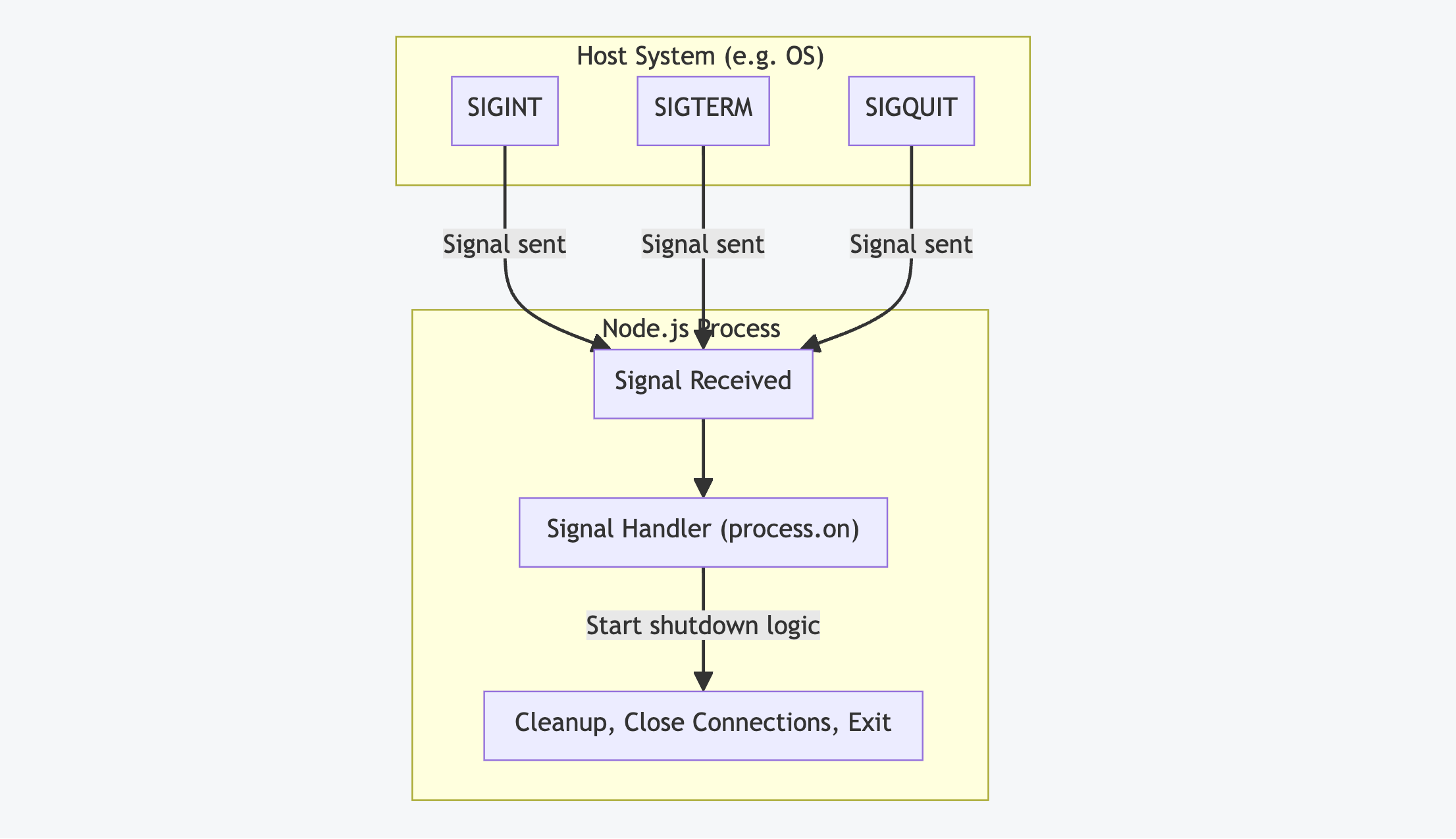
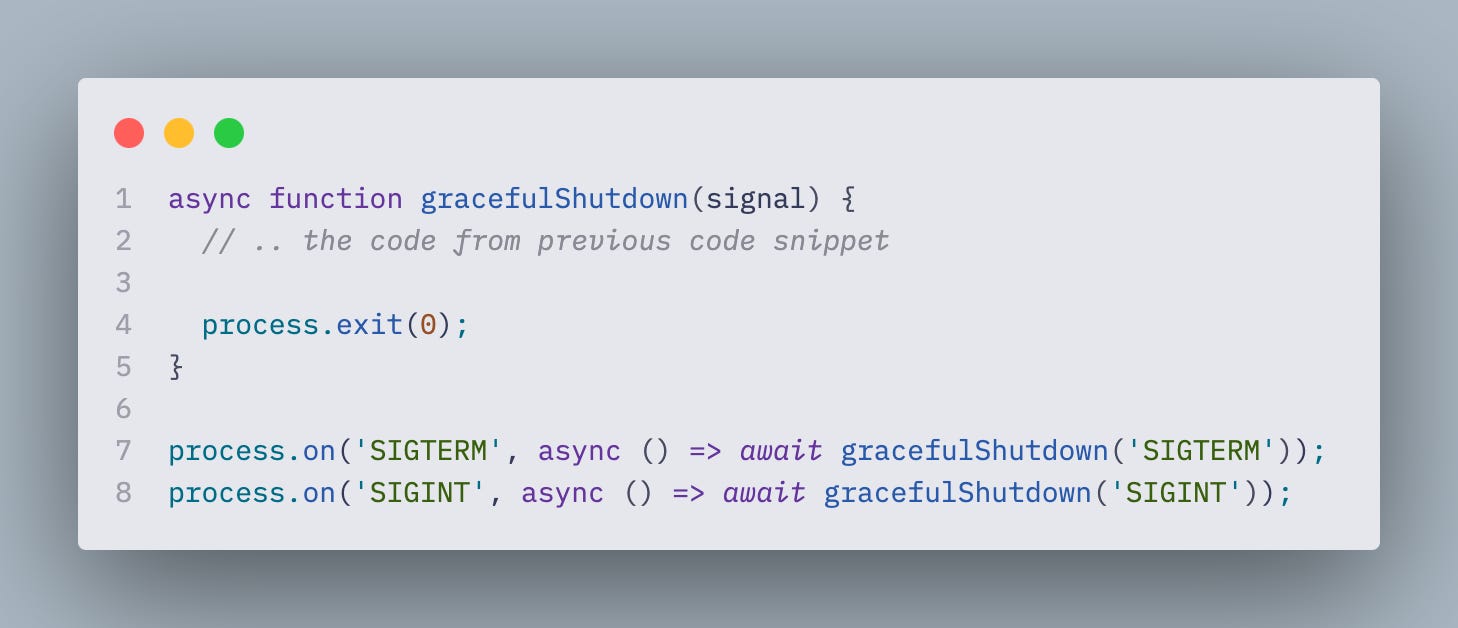
Since we can't do anything about SIGKILL we must focus on handling SIGTERM and `SIGINT` signals properly.
How to Build a Graceful Shutdown
When a termination signal is received, the application must go through an ordered sequence of operations to make sure no work is lost.
To do so successfully, you have to understand how your application works, the type of work it does, the resources it uses, and the impact it has on users. Without understanding these details, you're risking missing a critical part where resources aren't cleaned up, or a sequence of operations abruptly ends with further impact on your users.
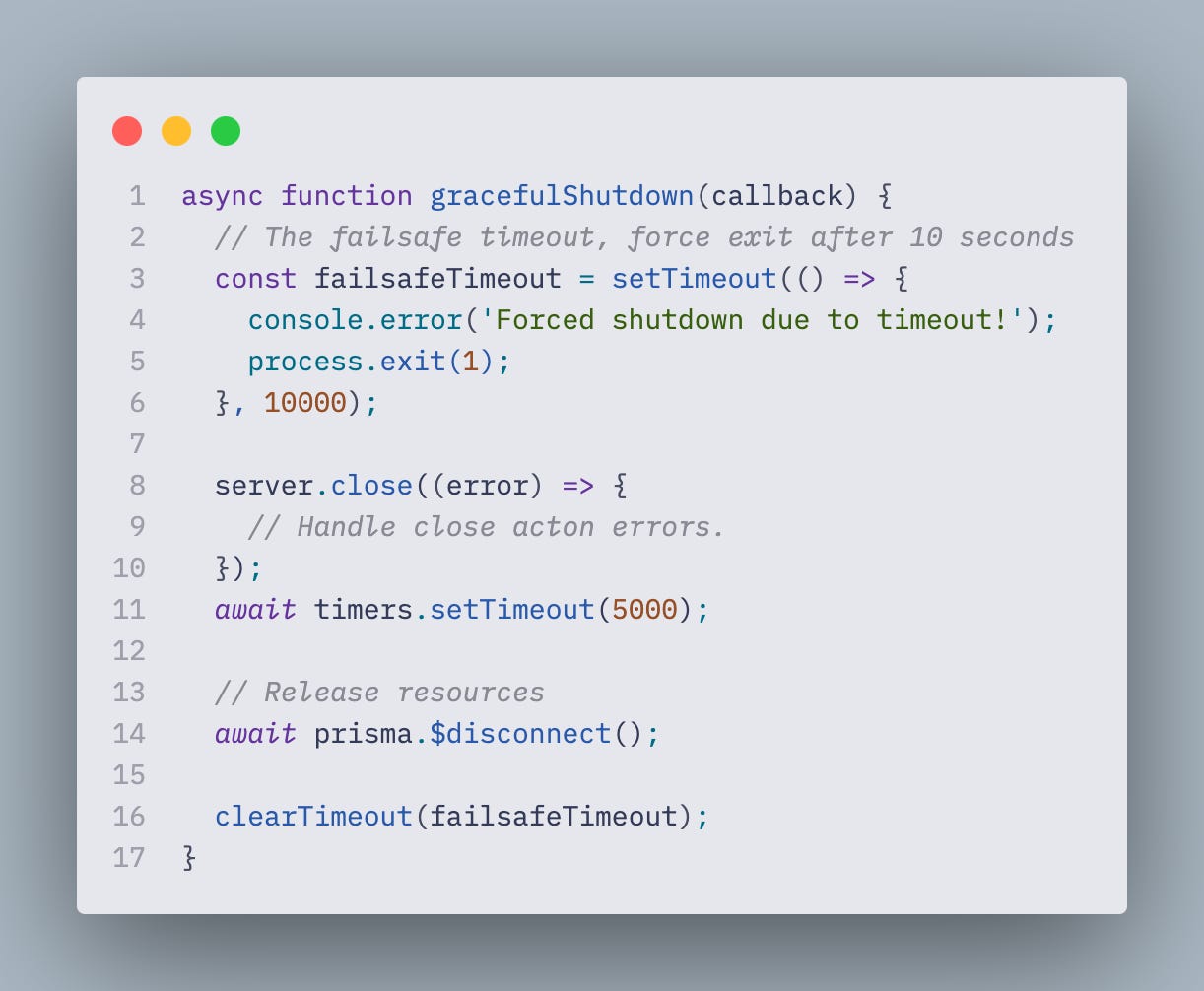
Here are some common steps that you can build upon when implementing a graceful shutdown in your application:
Initiate Shutdown Mode: The signal handler is invoked, which should immediately stop the application from accepting any new work. For an API server, this means closing the server's listening port.
In Node.js, you would typically call server.close to stop accepting any new connections.
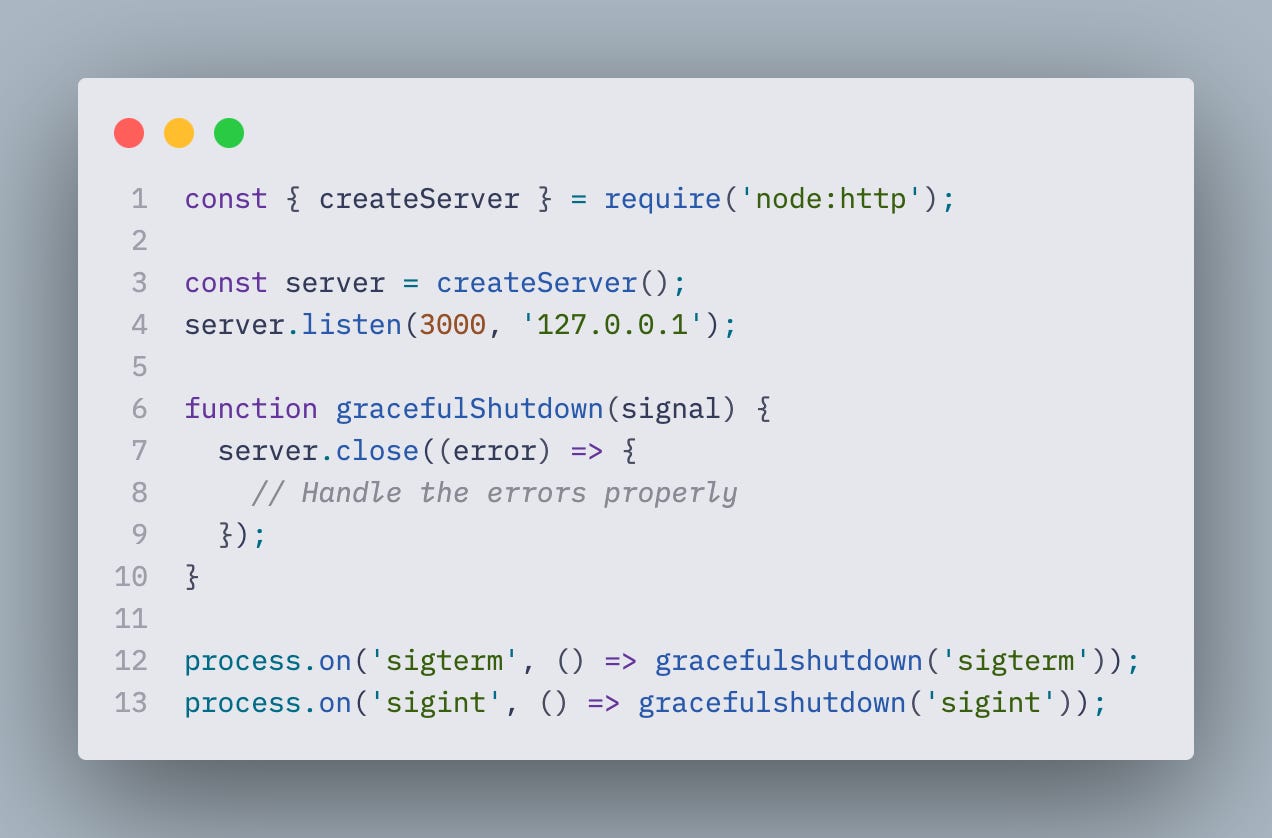
Complete In-Flight Work: The application must now wait for all active requests and ongoing background tasks to complete. This might involve pending database queries, file writes, etc.
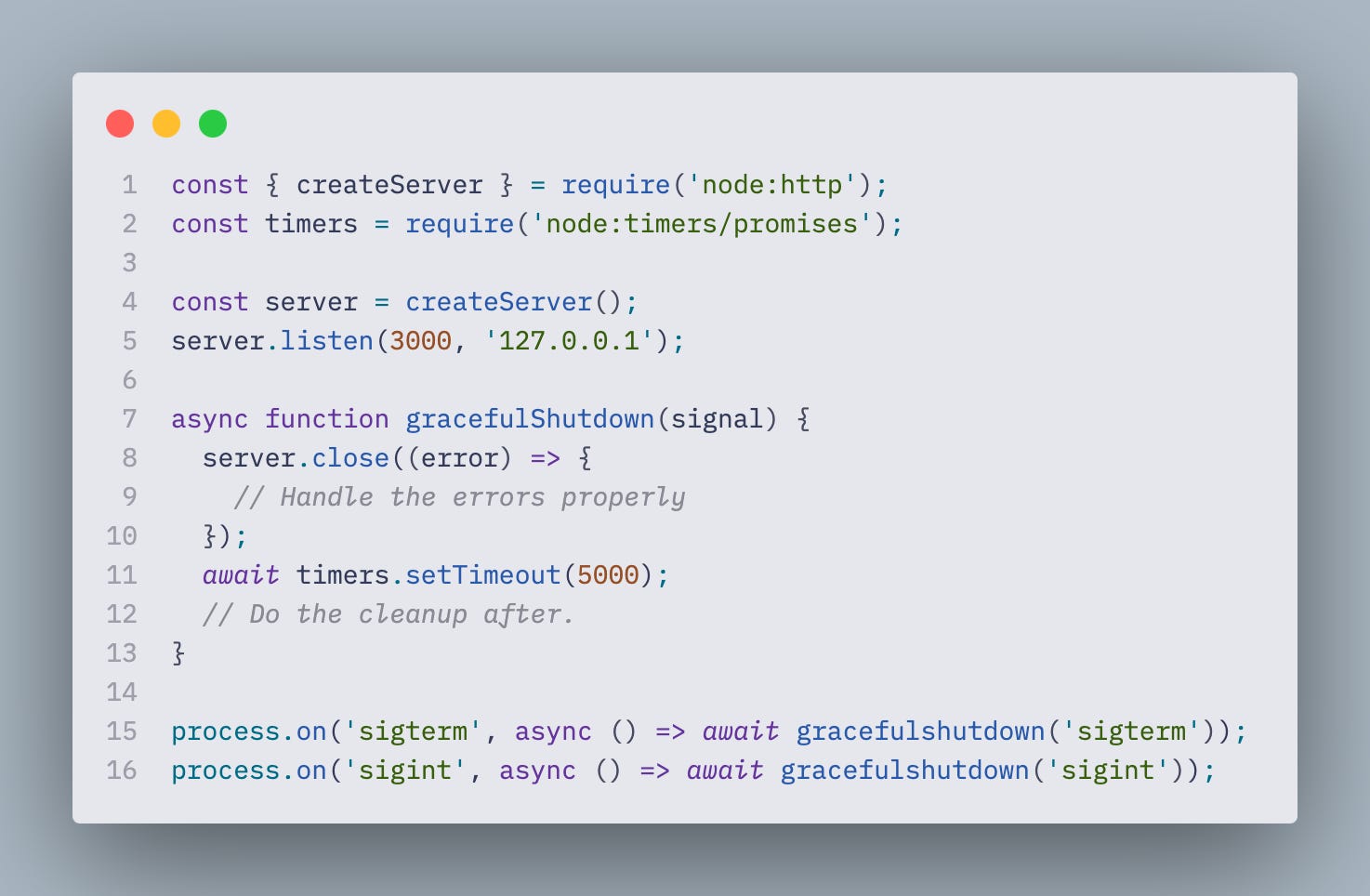
Most commonly, we give the application some amount of time to finish all ongoing work. The exact number would heavily depend on the types of operations your applications are performing, but if there is no heavy lifting, CPU-bound operations, and long I/O operations, then something like 5-8 seconds should be enough.
It's hard to guarantee that every single operation is finished in that time frame if we rely solely on the timeout, but most likely, this timeframe is good enough for 90-95% of all operations. It is possible to track every operation, but you have to write custom managers/collectors that are going to keep count of the exact number of operations and then keep the application alive until this count has reached 0.
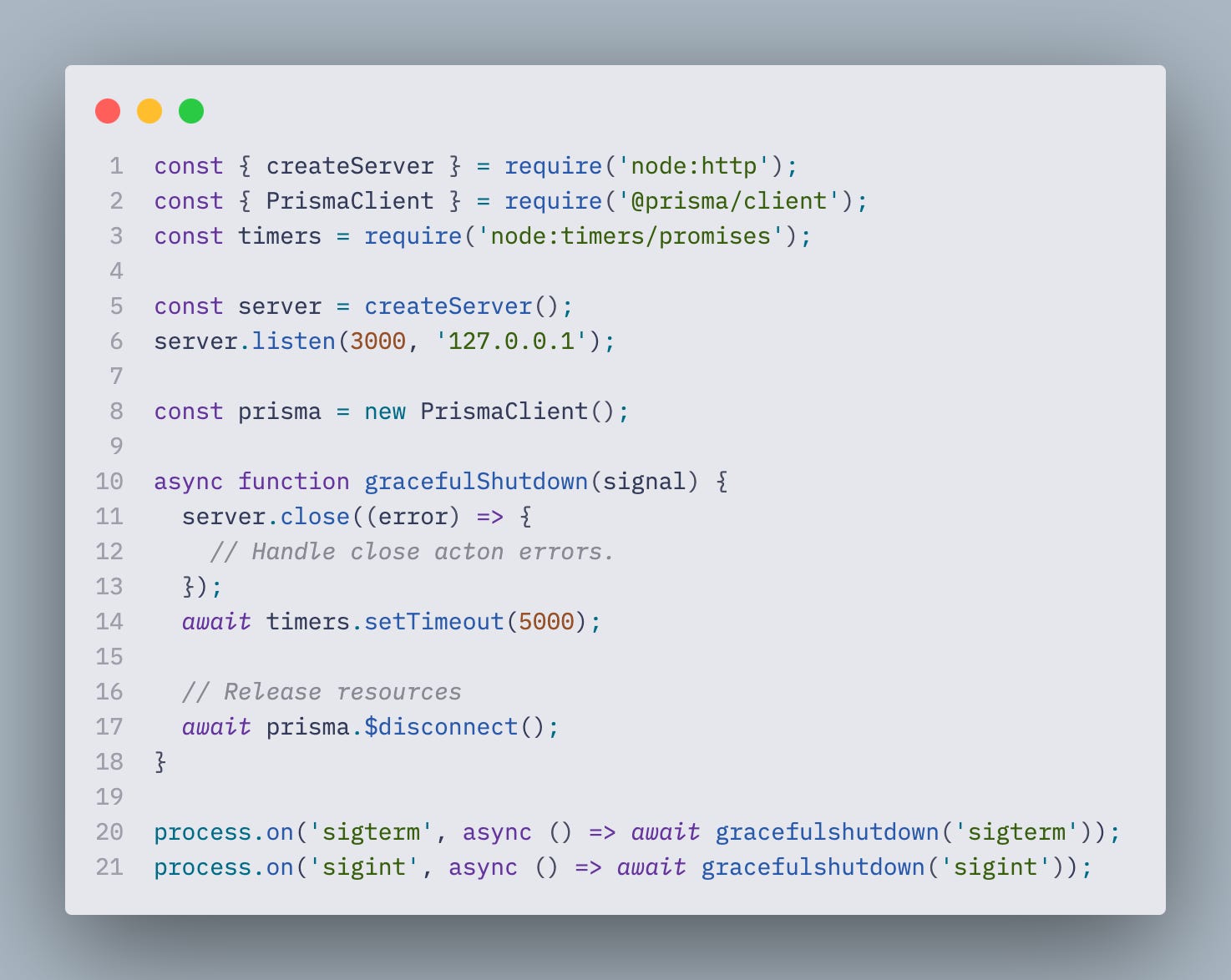
Release Resources: The application explicitly closes its connections to other services. This includes database connection pools, message brokers, and any other external resources to ensure they're also terminated cleanly.
Implement a Failsafe Timeout: An important part of this flow is a "guardian" timeout. If the cleanup process takes too long due to a hung request or unresponsive service, the application should force an exit with an error code. This prevents the application from hanging indefinitely and guarantees the process will eventually terminate, even if imperfectly.
Exit: Once all cleanup tasks are finished, the application exits the process with a success code, typically process.exit(0).
Handling Hanging Sockets with Keep-Alive Header
One of the main resources that we should handle gracefully is HTTP connections to our server.
First, we have to restrict all of the new incoming connections to the server. For that, we can leverage the server.close method in Node.js.
It does two things:
Stops the server from accepting any new connections
Terminates all non-active requests that are in the idle state (only since version 19!)
Let's talk about the idle requests in more detail. There is a header called Keep-Alive and it works in a way that it keeps the socket alive for the next request, making the process of establishing connections faster since we don't have to do that every time we make a new request. It was a huge headache until Node.js 18.2 version, and the server.close didn't handle it properly at that time.
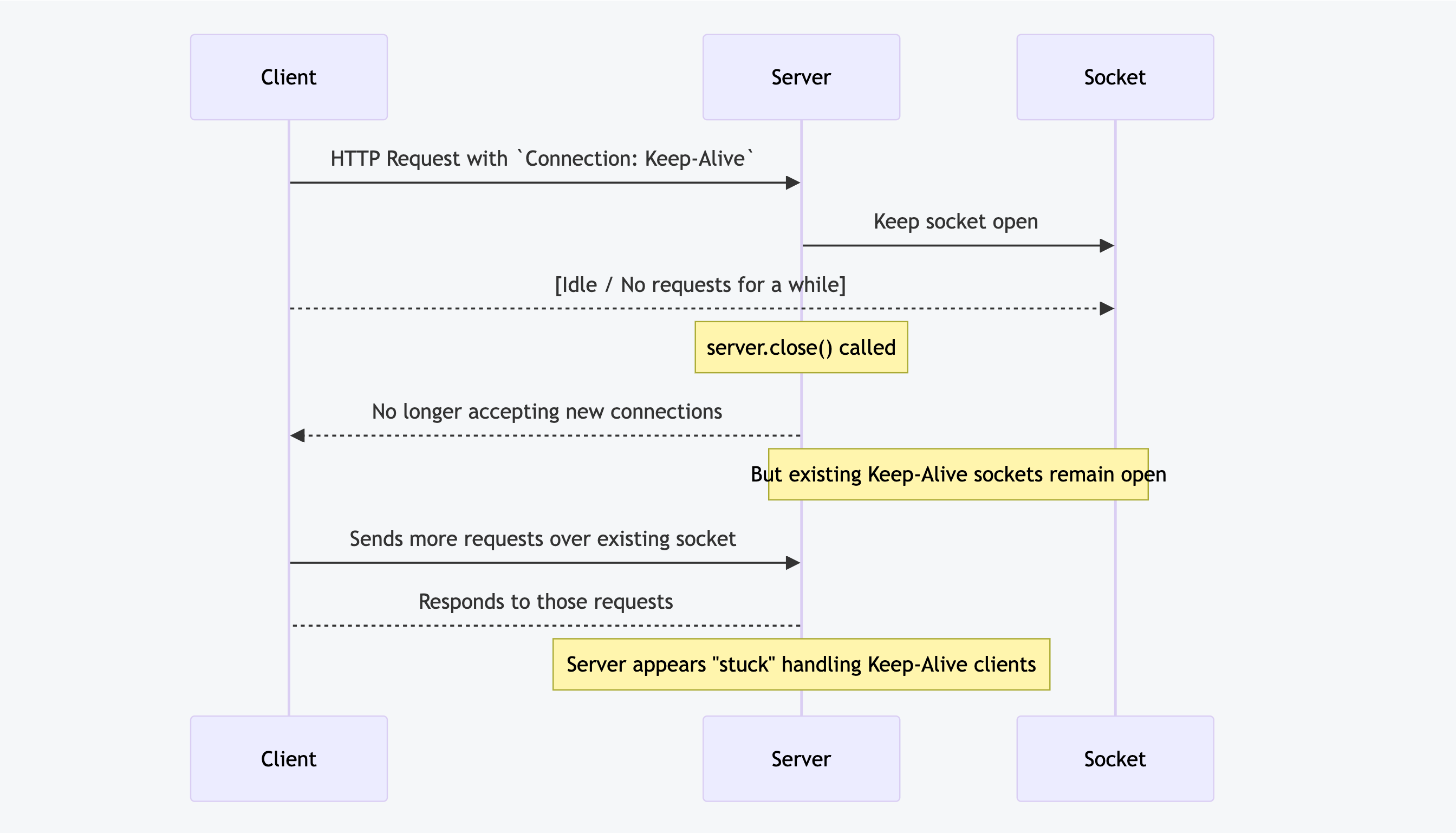
In Node.js 18.2, two new methods of the server were introduced:
closeIdleConnections(): This is the direct, official replacement for manually tracking and destroying idle sockets. It immediately finds and destroys all sockets that are currently in a `Keep-Alive`, idle state, while allowing any requests with active processing to complete gracefully.closeAllConnections(): This is a more forceful option that immediately destroys all sockets connected to the server, including those with in-flight requests. This method should be used as a final failsafe inside your shutdown timeout. If server.close() has not finished within its grace period, calling this method guarantees the process terminates, albeit at the cost of dropping any remaining active requests.
It was huge at the time, as we could finally close the idle connections. As of version 19, you no longer need to do so manually by calling server.closeIdleConnections.
This functionality is built into the server.close. Although there may be cases where you want to close all idle connections without shutting down the server, there is little reason to use it in conjunction with server.close now.
Creating Custom Managers to Precisely Track Resources
Previously, we mentioned that having a timeout of 5-8 seconds before shutting down the server should be enough for a standard Node.js application to finish most of its work. But what if we want to know precisely how many opened connections/running queries/etc we have at the moment?
To achieve that, we can create a custom resources manager, or whatever you want to call it, which tracks the number of resources and uses, so that you can tell exactly how many resources/connections are in use at every moment of your application.
Let's see it in action. Imagine that we have a server that uses websockets for real-time communication with clients. To accurately track clients' connections, we can implement a simple class that will have 2 methods: add and closeAll.
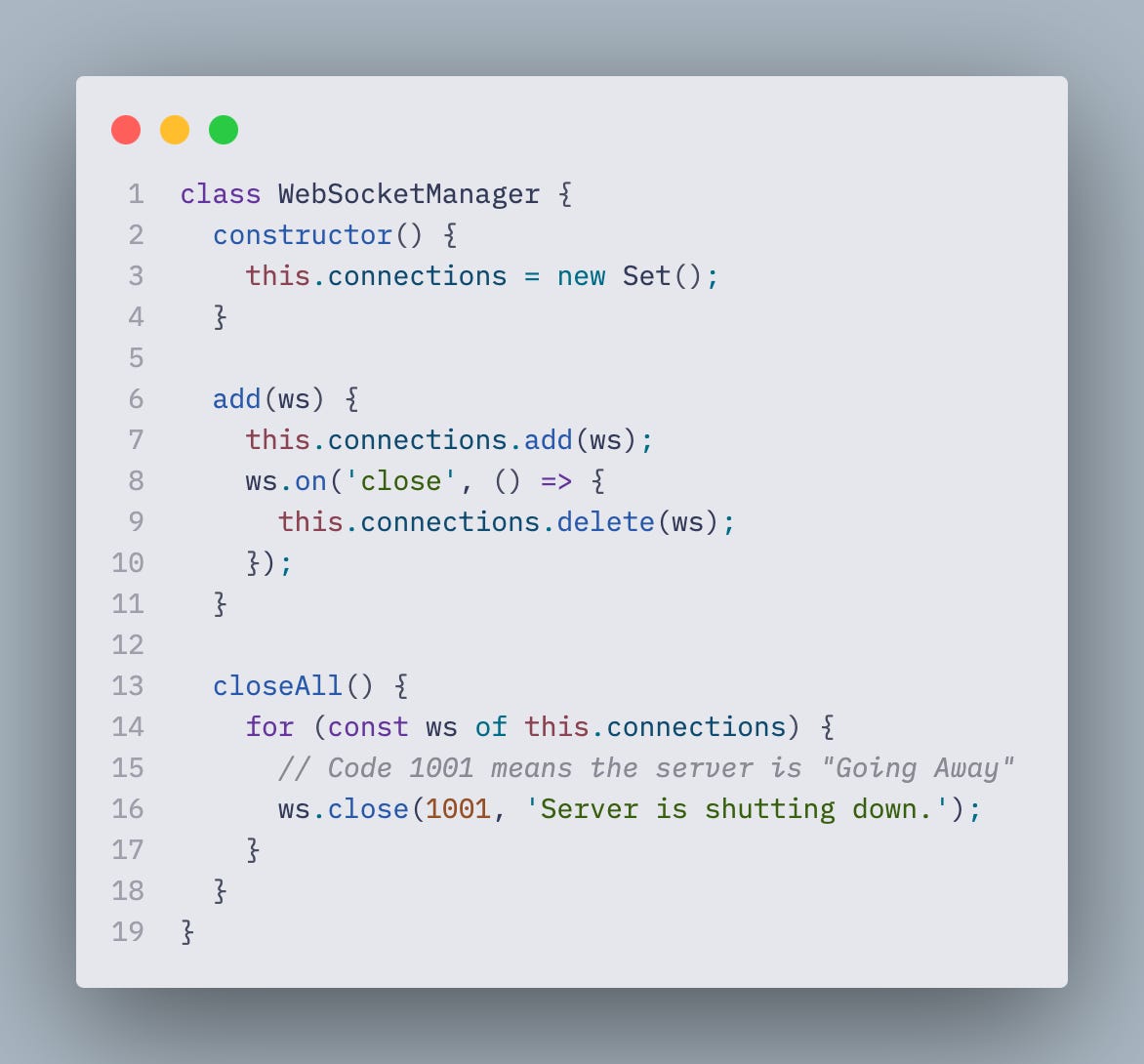
When we get a signal from the system to terminate the process, we're going to call closeAll method to close all opened connections. That way, we're not relying on some arbitrary number that we assume should be enough, but can confidently state that no websockets connections are left open after `closeAll` has been finished.